Vraki Language
Originally from 2017 · resurrected for historical purposes

Vraki Language The writing behind #HusbandOutWorld, on Windows since 2017

In 2017, Vraki was a small Windows app that reversed, shifted and restructured English until it read like a new language. That idea grew into the script of the #HusbandOutWorld series and its own typeface. The original app is back, as it was, for the record.

Vraki
2017

This is old code, on purpose. Vraki Language was written in 2017 as a Universal Windows Platform app for Windows 10 and published on the Microsoft Store. Its source is resurrected here for historical purposes: the C# and XAML are unchanged, only moved into legacy/.

Since then, Vraki has become the writing system of the #HusbandOutWorld series, written 1:1 with English: one Vraki glyph per English letter, instead of the 2017 app's reversing and shifting. A modern version built around that idea is the next step for this repository.

Where Vraki came from

Deovandski always dreamed of coming up with a language. As a child he doodled the alphabets of alien civilizations, and the more he traveled the world and soaked up its cultures, the closer those doodles drifted to the Vraki writing you see here.

He didn't expect it to grow into an entire world with extensive lore, and from there into several stories. This app is where the writing first went digital, back in 2017.

Try the 2017 converter

This is the app's own conversion code, ported line by line to JavaScript and checked against output captured from the 2017 app. Pick a conversion type, press Translate, and flip the arrows to convert back. Everything runs in your browser.

Vraki Language
Text Vraki

The Vraki Panel, in the Vraki typeface

Settings

Reverse Configuration
Chars Shift Configuration
Differential Shift Rate
0
0
Vraki Structuring
Letter Case Fix

Red marks the writable panel, as in the app. Quirks of the 2017 code are kept; see how the conversions work.

The Vraki typeface

The 2017 README ended with a hand-drawn sketch and a promise: "If time allows, I will develop a cleaner version of the following drawing followed by a font." That font now exists, made for the #HusbandOutWorld series, and it lives in the HusbandOutWorld repository.

One glyph per English letter

  • Vraki is English with a different skin: same alphabet, same order, same words. Type in English and it's written in Vraki.
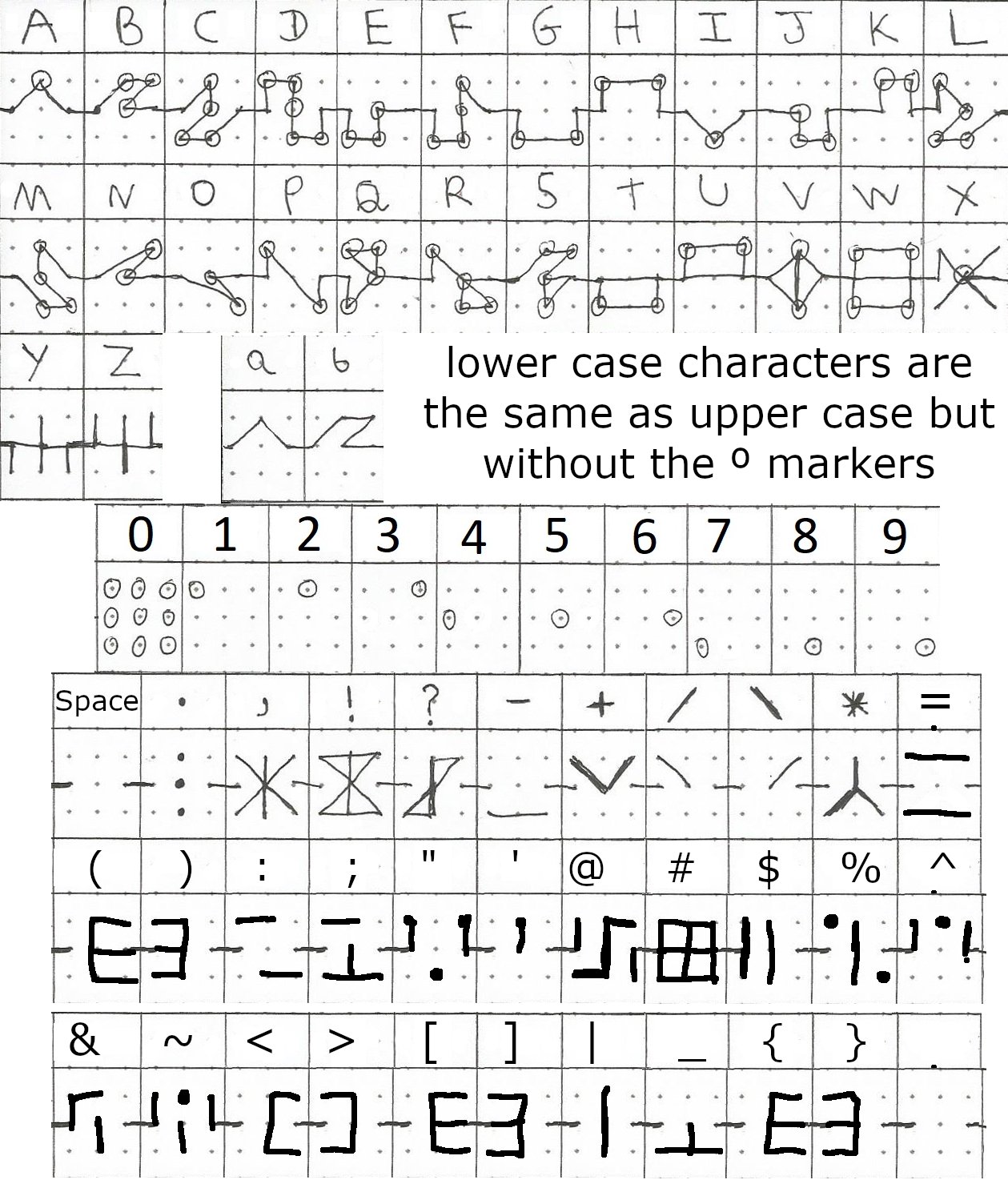
  • Each letter is a line drawn across a dotted grid. Upper case letters carry small circle markers; lower case is the same stroke without them.
  • Digits mark a single dot on a 3×3 grid (zero marks all nine), and punctuation has its own marks.
  • In the series' lore, Vraki is the common language inherited from the Finaies: mostly English, because English is the common language for business and the language the books were written in.
The quick brown fox jumps over the lazy dog"The quick brown fox jumps over the lazy dog" in Vraki
Hand-drawn reference sheet of the Vraki typeface: A to Z, lower case a and b, digits 0 to 9, and punctuation, each drawn on a dotted grid
The hand-drawn reference sheet (v2) the font was built from.

Get the typeface

  • Deovandski/HusbandOutWorld › Logo and Font: VrakiHusbandOutWorldSeries-Rg as .otf, .ttf and .woff2, plus the reference sheet.
  • World Lore › Language: the alphabet, numerals and marks, and where Vraki sits among the series' other languages.
  • The typeface is © 2024 Deovandski Skibinski Junior. Non-commercial use is free with attribution. Commercial use needs approval and a fee, kept small for artists and creators to support the community; ask on LinkedIn or email Deovandski@outlook.com. It may not be altered without permission. See the font license. This site uses an unaltered copy to show Vraki text.

The app in 2017

A Text panel, a Vraki panel, a direction switch and a Settings pane full of toggles. Recorded while it was being built in May 2017.

Development recording, May 2017 (46 seconds, no sound).
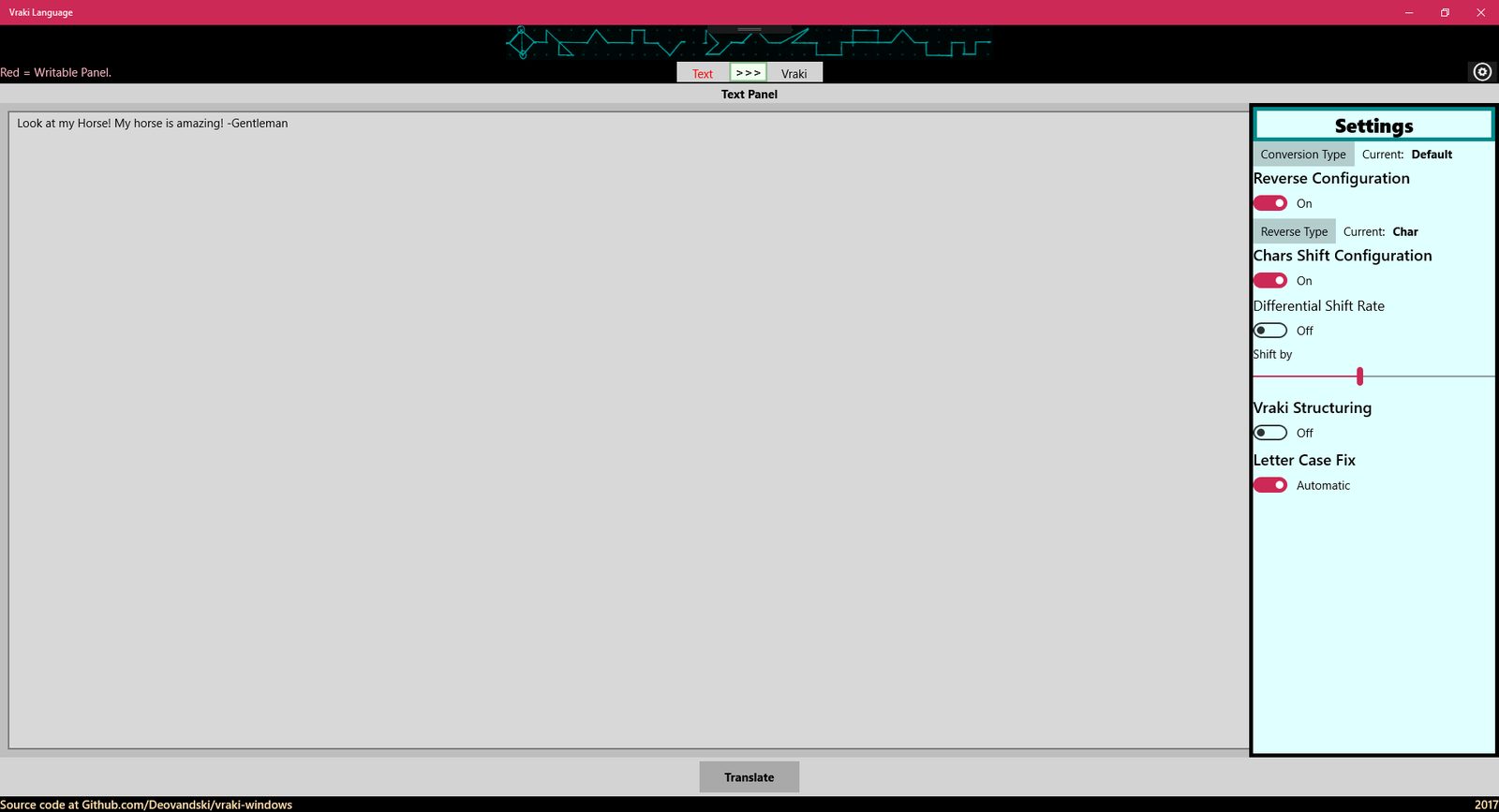
The 2017 app: the Text panel with an English sentence and the Settings pane open, with the Default conversion type
Version 1.3, June 2017: the Text panel and Settings.
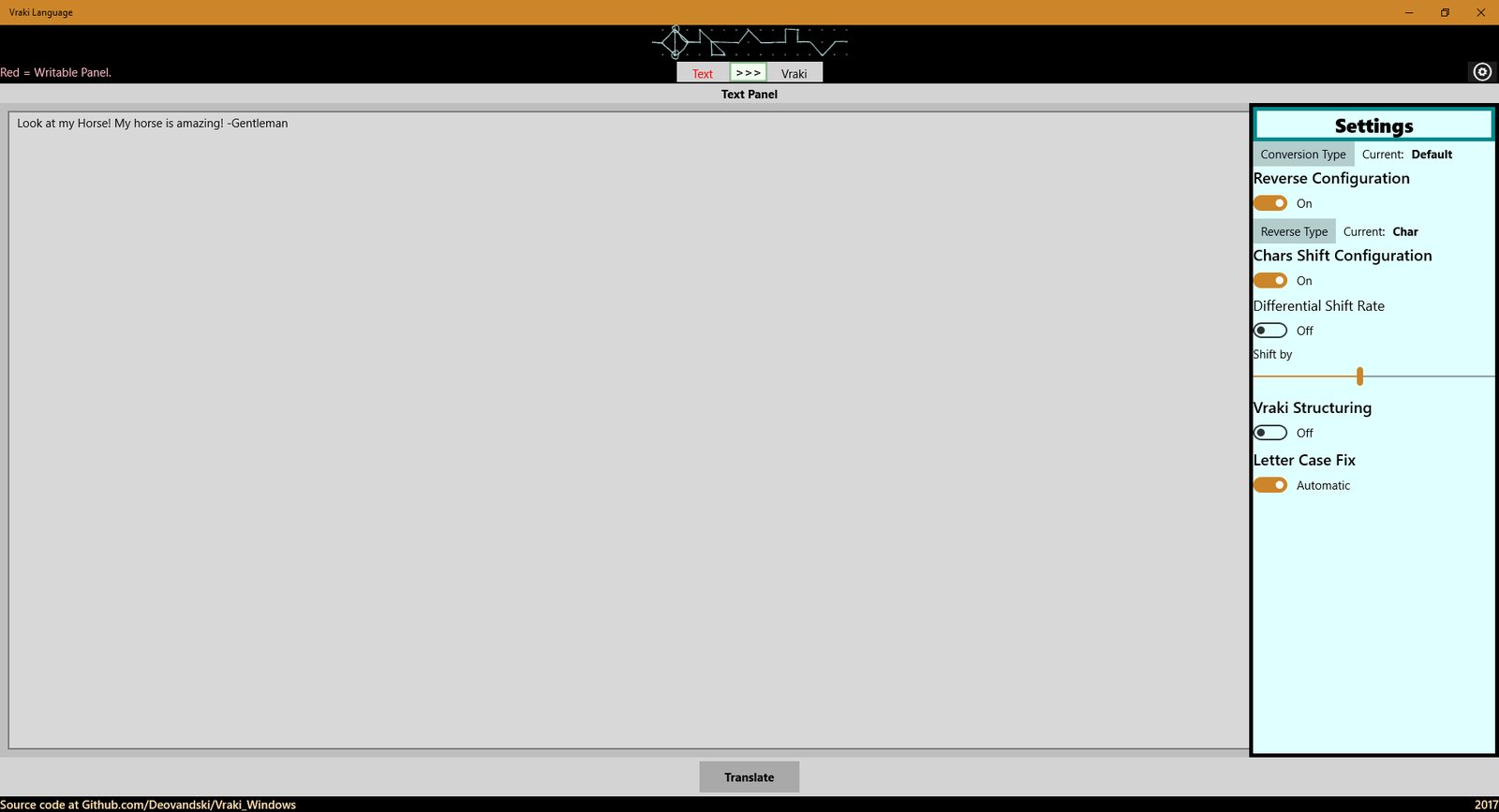
The 2017 app, version 1.1, with an orange accent color instead of crimson
Version 1.1, May 2017, with an orange accent.

Version history

VersionChanges
1.4Fixed issues #2 and #3. The version on the Store today.
1.3Changed the header image to support VisualStates, and updated the GitHub links.
1.2Changed how the current panel and the writable panel are shown.
1.1May 2017. Its sideload package is the only build that survived; it's attached to the GitHub release for the record (its certificate expired in 2018, so install from the Store).

How the 2017 conversions work

Four building blocks, run in order: Reverse, Shift, Vraki Structure, then Letter Case Fix. Each conversion type is a preset of them. Here's what each does to the app's sample sentence, "Look at my Horse! My horse is amazing! -Gentleman":

Conversion typeStepsOutput
DefaultChar reverse, shift all by −3, letter caseKxjbiqkbd- !Dkfwxjx pf bpole vj !Bpole vj qx hlli
Simple VrakiVraki structure, letter caseLook at my hol-li`lde! My hol-li`lde is amazing! -Gentleman
Complex VrakiChar + word pair reverse, consonants −10, vowels +2, Vraki structure, letter caseTbi-rg`ldbzhoy- !Itzbiun ug voagf zm !Voagf zm ih yxaa
MinimalShift all by +1, letter caseMppl bu nz ipstf! Nz ipstf jt bnbajoh! -Hfoumfnbo

The full write-up, with the 2017 diagrams for every reverse algorithm and the Vraki structure table, is in docs/ALGORITHMS.md.

Source code

MIT-licensed. The repository keeps the 2017 app intact and leaves room for the modern one.

legacy/                  the 2017 UWP app, unchanged (Visual Studio solution, C#, XAML, assets)
docs/ALGORITHMS.md       how the conversions work, with the 2017 diagrams
docs/2017-design/        original design files: GIMP sources, tables, notes
docs/STORE.md            Microsoft Store listing and keeping its identity out of git
site/                    this website, including the JavaScript port of the converter
tools/                   tests for the port, checked against the 2017 app's output

To open the 2017 project you need Visual Studio with the Universal Windows Platform workload; see legacy/README.md. Downloads of the source are on the releases page.

Privacy

The app stores nothing about you; the text you convert stays on your device. This website has no cookies, no analytics and no ads, and the converter and typeface preview run entirely in your browser. It's hosted on GitHub Pages, so GitHub sees your IP address when it sends you the page. Questions go to GitHub issues.